Private by design.
Every session lives on your device with SwiftData. No servers receive it, no analytics watch you, no ads follow you. Optional iCloud sync stays inside your own Apple account.
0
bytes sent to us
The private time tracker for freelancers and consultants. Tap to start, group hours by project, read your week in charts, and export a clean PDF invoice.
Three steps. No setup rituals, no spreadsheets — just the work, the chart of it, and a document you can send.
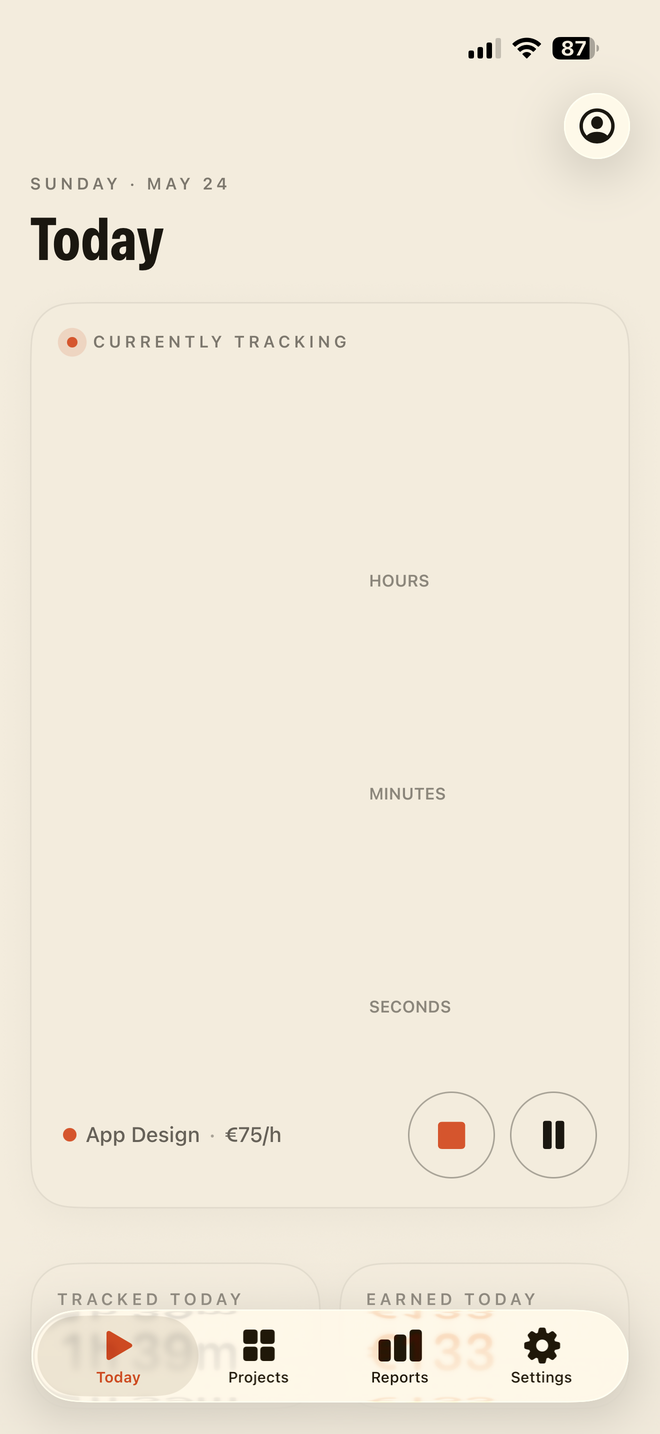
Tap to start. The running session fills a single, oversized timer — hours, minutes, seconds — and keeps ticking on your Lock Screen and in the Dynamic Island.
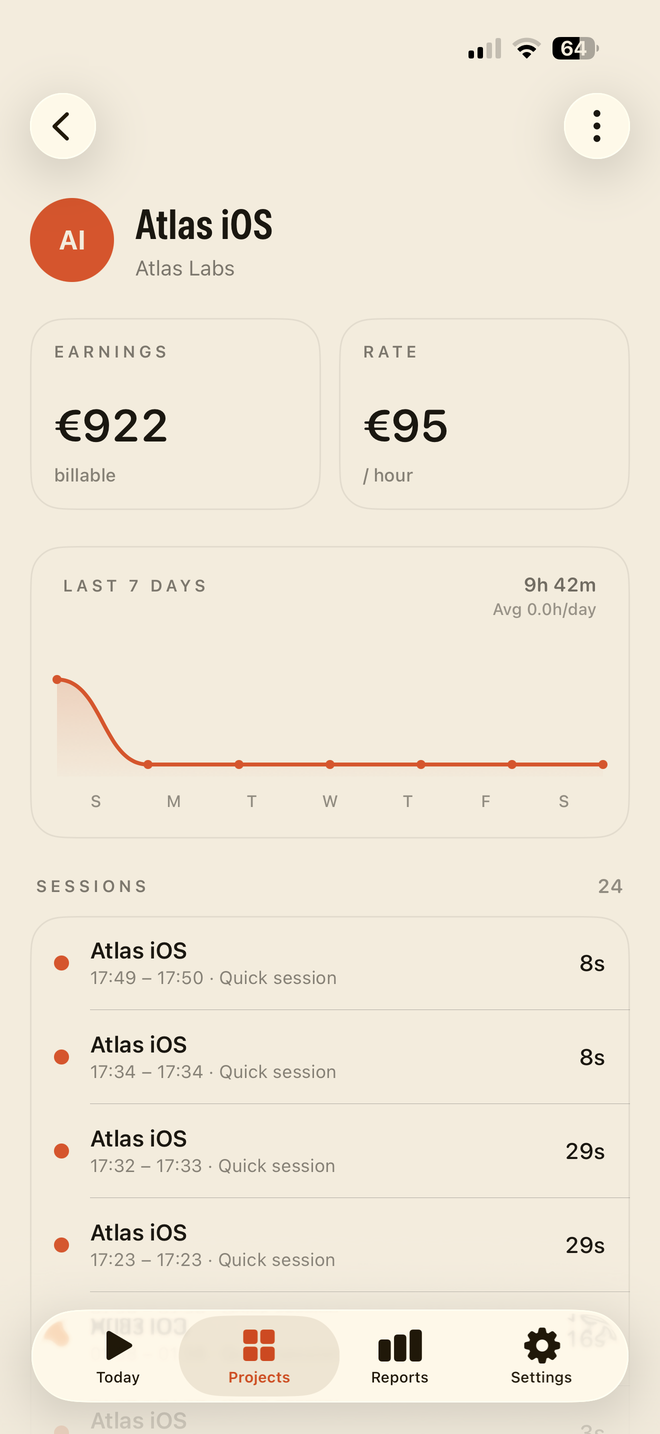
Every session is grouped by project. See where the week went and what's billable at a glance, each project in its own colour.
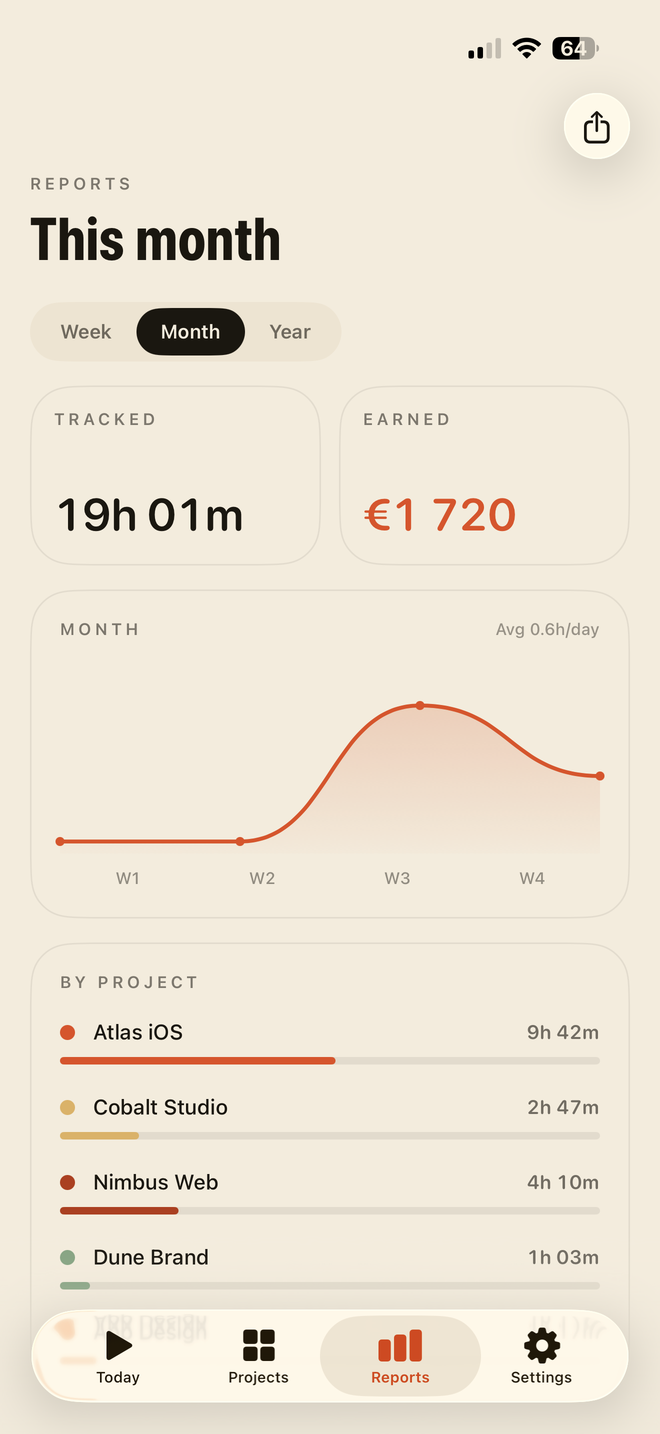
Read your week, month or year as a clean curve, then export a tidy PDF for any period and hand it straight to the client.
Everything a freelancer needs to track, understand and bill their time — and nothing that phones home.
Every session lives on your device with SwiftData. No servers receive it, no analytics watch you, no ads follow you. Optional iCloud sync stays inside your own Apple account.
Start in a second. The session fills one oversized, three-line timer you can read across the room.
Group every session, each project in its own colour. See what's billable at a glance.
No account needed to track. Sign in with Apple in one tap if you want to — no password, no mailing list — and remove it anytime.
Read your week, month or year as a smooth curve, with per-project breakdowns and a billable total.
Generate a clean, professional document for any date range — itemised by project, ready to invoice. Hand it over and move on.
SPAN is free to download and track with — widgets, Live Activity and iCloud sync included. SPAN Pro adds unlimited projects, monthly and yearly reports, full history and watermark-free exports, starting with a 7-day free trial.
Then €39.99/year. Cancel anytime. Prices may vary by region.
Auto-renewable subscription: renews automatically at the price above unless cancelled at least 24 hours before the period ends. Manage or cancel anytime in your Apple Account. Payment is charged to your Apple Account. By subscribing you agree to our Terms of Use and Privacy Policy.
Download SPAN and start your first session in seconds. Free to try, private forever.
 SPAN
SPAN